Posts

PROJECT #4 & #5: 'SCAPES, Parts 1 & 2
Image
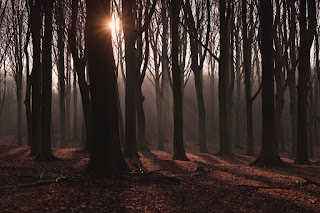
'SCAPES. RATIONALE. To practice and focus skills in Photoshop regarding layers , placing/rasterizing , adjusting color/value , edit+transforming selections, selection  tools. TO DO. Use multiple photographic sources to create a believable -or- surreal photographic composite image that illustrates an understanding of perspective. Create THREE separate 'scape composite images. Use very high-resolution images (1000x1000 minimum) from image searches. See links below. *Make sure you set your image search parameters to finding large files.  THE THREE IMAGES. 1.     Each composite will be a combination of separate images/elements. 2.     IMAGE ONE must be a LANDSCAPE (no people or animals). 3.     The other TWO composites can be a landscape, space scape, city scape, or interior space, and  include people/animals/food/landscapes/etc. CONSIDER. Sometimes the more images you use the more interesting yo...

PROJECT #3: Painted Self

Link to the slides CLICK HERE.

Life Advice (from you!)

Go to Target sometimes it just has a good vibe. Do whatever you want whenever you want, if it's truly a bad decision, then there will be consequences, but if not then you'll know you made the right choice. ask for things you need and don't feel guilty about it  Make peace with your past so it won't screw up the present. If you ever feel like you can't do something, just don't give up.  live everyday like its the last washing potatoes with soap make sure to rinse them off again. eat as much food as you can. diets don't count on holidays over exceed everyones expectations. Most small decisions don't matter. LIFE ADVICE: YOLO Life Advice: stay true to yourself and never change yourself for someone else. Success isn't always found the first time around. Persistence is one of the most important skills a person can learn.   Stay positive, don't put yourself down and don't give up . Don't mind your age or anything just do anything you want to be...

FUNDAMENTALS of DESIGN (Ongoing Post)

Image
COLOR Used to generate emotion, define importance, and create visual interest. Primary Colors :  Red,   yellow  and  blue Secondary Colors :  Green,   orange  and  purple Tertiary Colors:  Yellow-orange, red-orange, red-purple, blue-purple, blue-green & yellow-green HUE -  the color   VALUE  -  How light or dark the hue. SATURATION -  the intensity or vividness  of a color

FUNDAMENTALS of DESIGN

Image

BROWSER BASED APPS

PHOTO EDITING: Pixlr (like Photoshop) -  https://pixlr.com/ Gimp  for Chromebooks  (Chrome Extension) -  https://chrome.google.com/webstore/detail/gimp-on-rollapp/eodhmnkhmnkmimhckfpkgmbmcgjkaddo?hl=en-US iPiccy Photo Editor -  https://chrome.google.com/webstore/detail/ipiccy-photo-editor/imokeandodnlammaoenbgcnbhigjbpjh?utm_source=chrome-ntp-icon DRAWING & PAINTING: Sketchpad 5.1 -  https://sketch.io/sketchpad/ Chrome Canvas (Can use with touchscreen) -  https://canvas.apps.chrome/ Vectr -  https://vectr.com/tmp/ bfE7nIb9I/emiNZnzNF Kleki (Painting) -  https://kleki.com/ SumoPaint (Painting) -  https://www.sumopaint.com/ paint/ Aggie (Drawing/design) -   https://aggie.io/ *GravitDesigner (like Illustrator) -   https://www.designer.io/en/ CHROMEBOOK ANIMATION: FlipAnim - works with touch screen -  https://flipanim.com/ ***Brush Ninja - works with touch screen -  https://brush.ninja/ animations/ 3D MODELING: Tinker...

BLOG CREATION

Image
 DIRECTIONS: *Complete the steps below in order 1. Log in to your TuHS STUDENT EMAIL (only use your student email). 2. Stay logged in to your TuHS student email. 3. In a NEW TAB in your browser (Chrome?), go to www.blogger.com This page will appear: 4. Click the ORANGE  ' CREATE YOUR BLOG ' button: 4. You might need to log in again.  This step is to link your student account to the Blogger site: 5. After this step, you should be taken to what is called your 'DASHBOARD.'  You will likely not have a blog yet, so click the upper left "NEW BLOG" button: 6. A small window will appear.  You will choose a blog name.  The name can be anything school appropriate . Blogger will let you know if the name can be used: 7. Click ' SAVE' On the bottom left of your dashboard, click ' VIEW BLOG': 8. When you click 'VIEW BLOG' your blog will open. Copy the URL address and send to it to me: USE THE FOLLOWING EMAIL ADDRESS TO SEND ME YOUR BLOG ADDRESS: T...