Posts

IDIOM GRAPHIC CHALLENGE

Image
id·i·om /ˈidēəm/ Learn to pronounce noun plural noun:  idioms 1. a group of words established by usage as having a meaning not deducible from those of the individual words (e.g.,  rain cats and dogs ,  see the light  ). An  idiom  is a phrase or expression whose meaning can't be understood from the ordinary meanings of the words in it. For example, Get off my back!  is an idiom meaning Stop bothering me! UNDER THE WEATHER (Student work) WHEN PIGS FLY (Student work) DIRECTIONS: 1. Choose three idioms to illustrate. 2. Search & decide what imagery you will use to illustrate each idiom. 3. Make your canvas ( 8x10 inches/300 resolution -or- 10x10inches/300 resolution ). 4. Begin laying out/playing/exploring/ assembling the pictorial elements. 5. Work. 6. Revise. 7. Finalize design. 8. Save a flattened .JPG version, AND an unflattened .PSD ...
TEXT FINAL (25 points)

POST TO BLOG: -Final Image(s). -All source photos (under the final image) -A list of all tools & processes you used to create the image(s) DROP TO DRIVE: -all work, and all images -each image in an unflattened .PSD format

TEXT WRAP-UP ASSIGNMENT (25 points)

Image
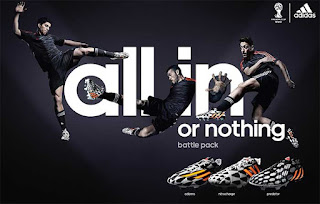
DIRECTIONS. 1. Choose a product for which to create an advertisement -OR - a theme for a cover  of a cookbook. 2. Create a canvas that is 8" wide x 10" height, & resolution 300 3. Choose two fonts - one serif & one sans serif. If you use a specialty font, choose one sans serif font to pair with it.  4. Gather images of your product -or- the ingredients from the recipe. 5. Begin laying-out/designing your advertisement or book cover. TO INCLUDE: - Multiple images of ingredients or your product and/or images that relate. ( 5 points) - Multiple lines of text (a new catchphrase that you create, text descriptions, etc.) (5 points) - Obvious layering of elements where text and image interact with each other (5 points) - Multiple fonts (as indicated above). (5 points) - Attention to precise detail and alignment. (5 points) EXAMPLE of 25/25  (Rich in graphic processes, layering, combining of images & text): EXAMPLE of 20/25  (Mostly ...

TEXT PLAY

Image
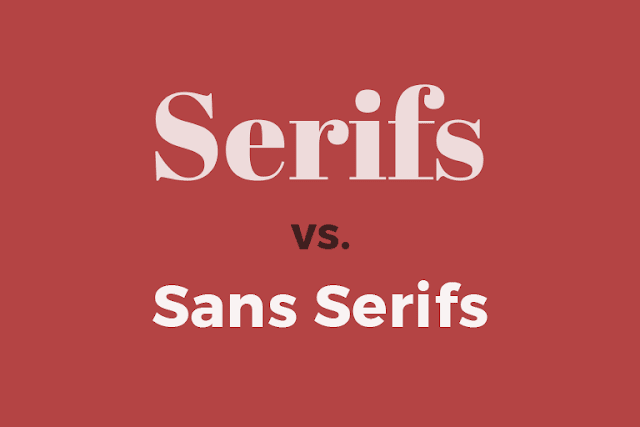
DIRECTIONS . 1. Follow the in-class tutorial. 2. Choose a song lyric, or a part of song lyric - YES, it must be school appropriate.  3. Choose TWO FONTS to use - one SERIF, and one  SAN SERIF. 4. Write the lyric on multiple text layers - play with size, transformation, stacking, direction... 5. RASTERIZE each text layer. ...then... 6.  MAGIC WAND select each word/layer - then INVERSE+DELETE the corresponding picture accordingly. Choose photos that are indicative of each particular word (where appropriate). 

LAYER MASKS

LAYER MASKS, & PRACTICE

Image
DIRECTIONS. 1. Follow the tutorial in class. 2. Choose two+ images. 3. Using a layer mask and paint brush/pencil tool, change the color of something large in the photograph. 4. Do this for TWO images. 5. Drop the UNFLATTENED .PSD images into your folder on the shared drive. The folder is titled "9-LAYER MASKS"

PROJECT #5: MORPH

Image
DIRECTIONS. 1. Follow tutorial in class. 2. Conduct an image search for a variety of animals to combine (image selection as advised during tutorial). 3. Using the process and tools explained in the tutorial (CLONE STAMP, plus IMAGE+ADJUSTMENTS...) begin putting together your first morphed animal. MINIMUM DUE FOR CREDIT: THREE final morphed animals. GRADING: (Four points for each of the three morphs...for a total of 12 points) 1. Choice of animals to combine is logical and makes 'sense.' 2. Believability (careful tool application) of selections and edges. 3. Believability of color/tone/exposure/selective color. 4. Posted to your blog in a post titled "MORPH" 5. Saved to your folder on the shared class drive (in the folder titled "7-MORPH"   EXTRA CREDIT OPTION:  Additional images of 'morphed' beings. EXAMPLE OF 4/4 EXAMPLE OF 2.8/4 EXAMPLE OF... 0/4